参与 HugeGraph 社区
选择贡献方式
可以通过 GitHub Issues 报告问题,也可以提交代码、测试或文档。准备较大的改动前,建议先创建 Issue 并说明范围,避免重复工作。
下面以 apache/hugegraph 为例。其他 HugeGraph 仓库的流程相同,但构建和测试命令应以各仓库的 README.md、AGENTS.md 和 CI 配置为准。
准备仓库
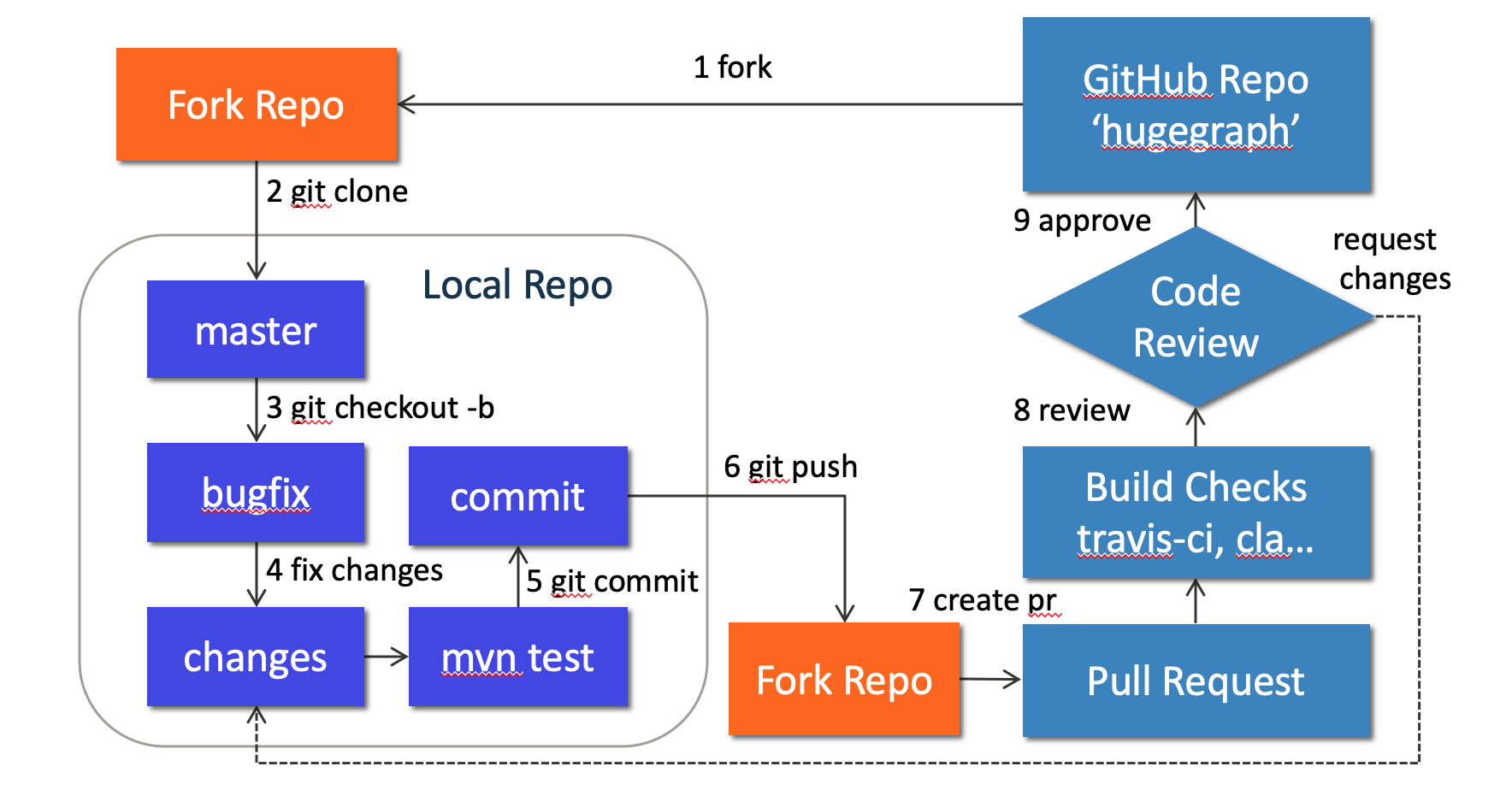
先在 GitHub 上 fork apache/hugegraph,再克隆自己的 fork:
不要直接在 master 上开发。每项改动使用单独分支:
修改和验证
HugeGraph Server 的代码位于 hugegraph-server/。例如,核心模块路径是:
先运行与改动直接相关的测试。Server 常用测试入口如下:
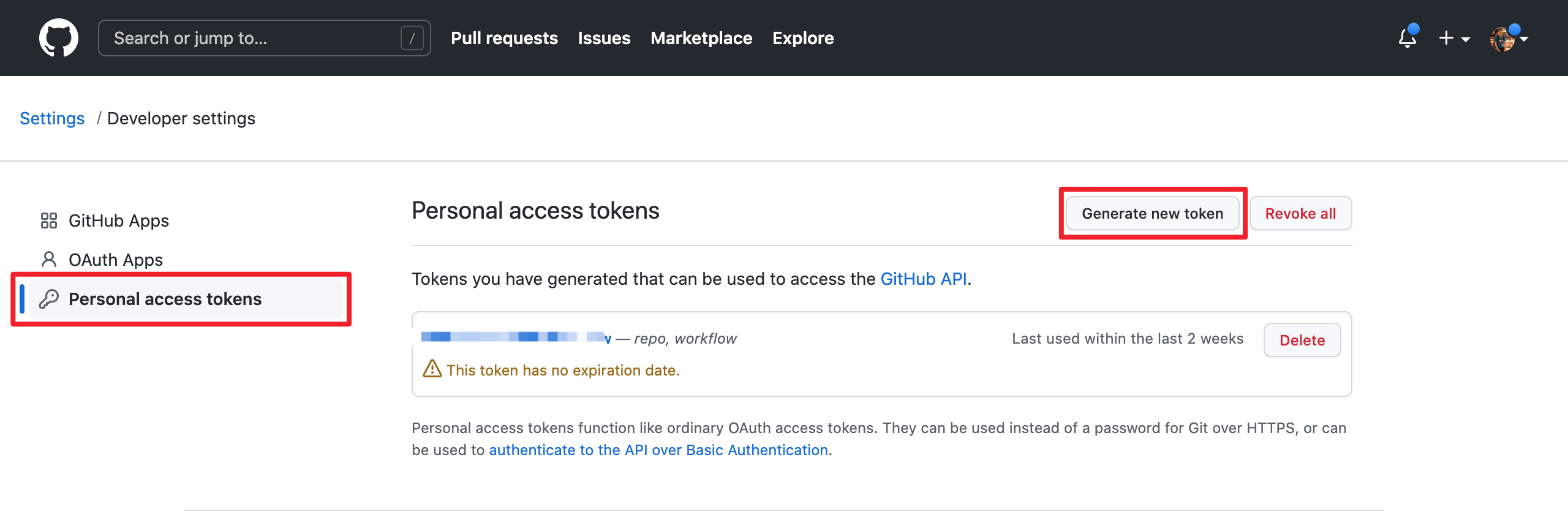
Note that since GitHub requires submitting code through username + token (instead of using username + password directly), you need to create a GitHub token from https://github.com/settings/tokens:
提交第三方依赖时,还要同步发行包中的许可证信息:
- 把依赖的许可证文件放入
hugegraph-server/hugegraph-dist/release-docs/licenses/。 - 更新
hugegraph-server/hugegraph-dist/release-docs/LICENSE;依赖包含 NOTICE 时,同时更新NOTICE。 - 运行
hugegraph-server/hugegraph-dist/scripts/dependency/regenerate_known_dependencies.sh,更新已知依赖清单。
提交 Pull Request
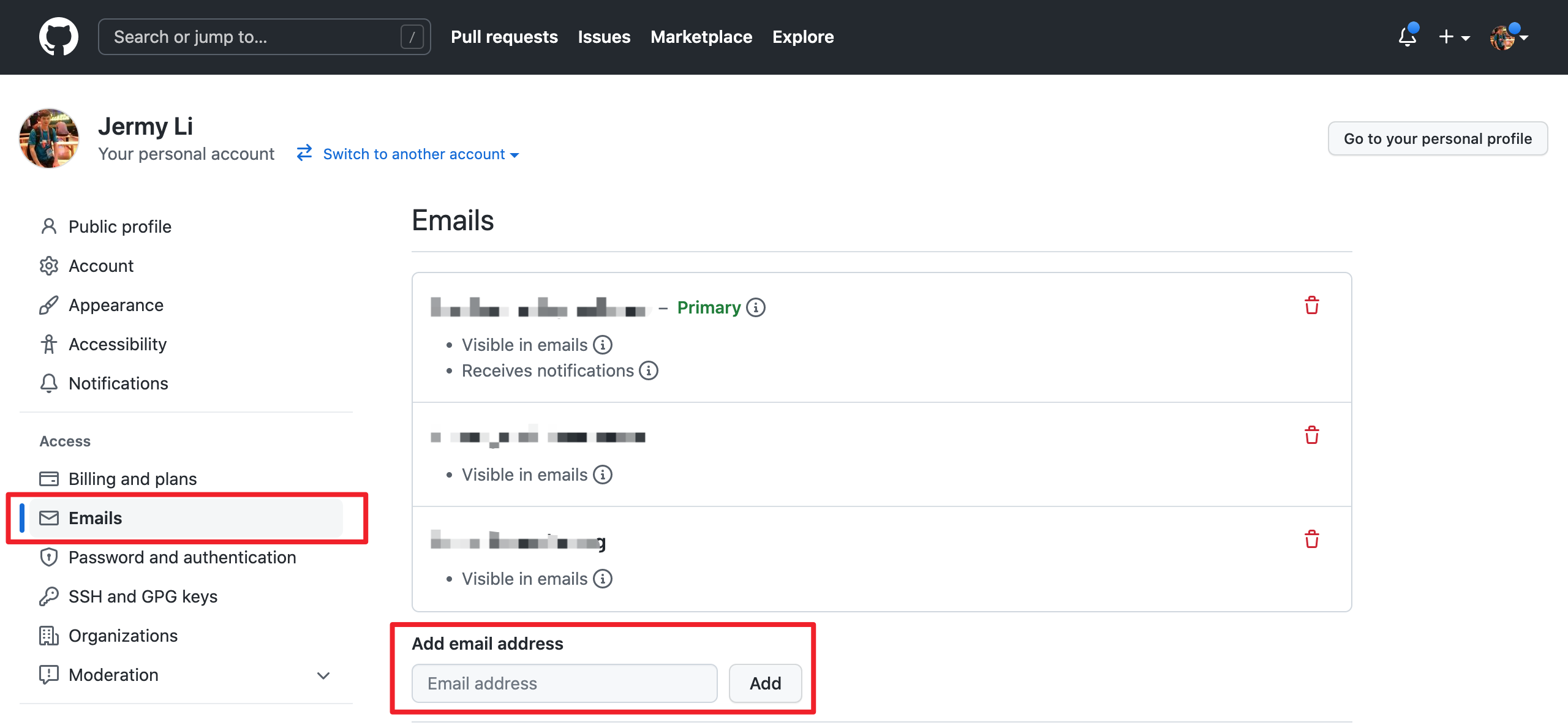
Note: please make sure the email address you used to submit the code is bound to the GitHub account. For how to bind the email address, please refer to https://github.com/settings/emails:
提交信息使用 type(module): message 格式,例如:
然后从 fork 分支向 apache/hugegraph:master 创建 Pull Request。说明问题、修改方法和实际运行的验证命令;界面变化应附截图。
处理 Review
CI 失败或 reviewer 要求修改时,在原分支继续提交并推送。需要同步上游时,可以 rebase:
不要使用普通 --force 覆盖远端分支。完成所有 CI 和 review 要求后,由项目 maintainer 合并 Pull Request。
Contributor Agreement 使用 ASF 官方流程,见贡献者协议。